
Carousels aren't just having a moment, they're dominating the game. They consistently pull higher saves, more shares, and longer time on post than almost any other format. For business owners building an audience, they're one of the most reliable tools in the kit.
So why aren't more people posting them consistently?
It’s because making them has always felt like a lot. Getting the slides designed, writing copy that flows from one to the next, keeping everything on-brand without spending half your afternoon on it... it adds up. And when you're running a business, that time has a real cost.
The good news is that 2026 is a genuinely great time to be making carousels. There are more smart tools available than ever, and several of them cut the creation time down dramatically. Whether you want AI to do most of the work or you just need a faster way to design, there's something on this list that'll change how you approach carousel content.
Here are the seven best apps for the job.
At a Glance
Short on time? Here's a quick overview before we get into the detail:
- Canva: The go-to design platform with thousands of templates and a built-in AI suite
- Carousel Studio: AI carousel generator inside Canva, polished results in under a minute
- ContentDrips: AI-powered tool that turns topics and long-form content into slide-ready carousels
- aiCarousels: A free, beginner-friendly tool for quick, no-fuss carousel creation
- PostNitro: AI carousel builder built for scaling and batch content creation
- PanoSlice: Android app that slices panoramas into multi-slide carousels
- SCRL: Lightweight panorama splitter with built-in layout grids and templates
1. Canva (of course)
Canva doesn't need much of an introduction. It's the design platform that millions of business owners and creators already rely on, and for good reason. For carousels specifically, you can build them from a vast template library, add animations, and use Magic Studio (Canva's built-in AI) to auto-generate layouts from a prompt.
The free plan is more capable than most people realise. You get access to thousands of templates, basic animations, and the full Canva App Marketplace, which means you can layer additional tools like Carousel Studio on top of your existing workflow. The Pro plan brings in background removal, premium assets, and Magic Resize for adapting designs across formats.
If you're not in Canva yet, it's the best place to start. And if you're already there, the App Marketplace tab is worth exploring properly.
Pricing: Free to use most features with Pro capabilities available with a subscription fee of $18.99 per month or $149.99 a year.
What we like about it: The depth is unmatched for a tool at this price point. The free plan alone covers more than most people use, and the App Marketplace means Canva can grow with your workflow rather than becoming a bottleneck. Having your design tool, your AI tools, and your third-party integrations all in one place is genuinely useful.
What we don't like about it: Building carousels manually in Canva, even with templates, still takes real time. The built-in AI features are improving, but for anyone who wants a true one-prompt-to-carousel experience, a dedicated tool like Carousel Studio inside Canva is still the faster route.
Find it: canva.com
2. Carousel Studio
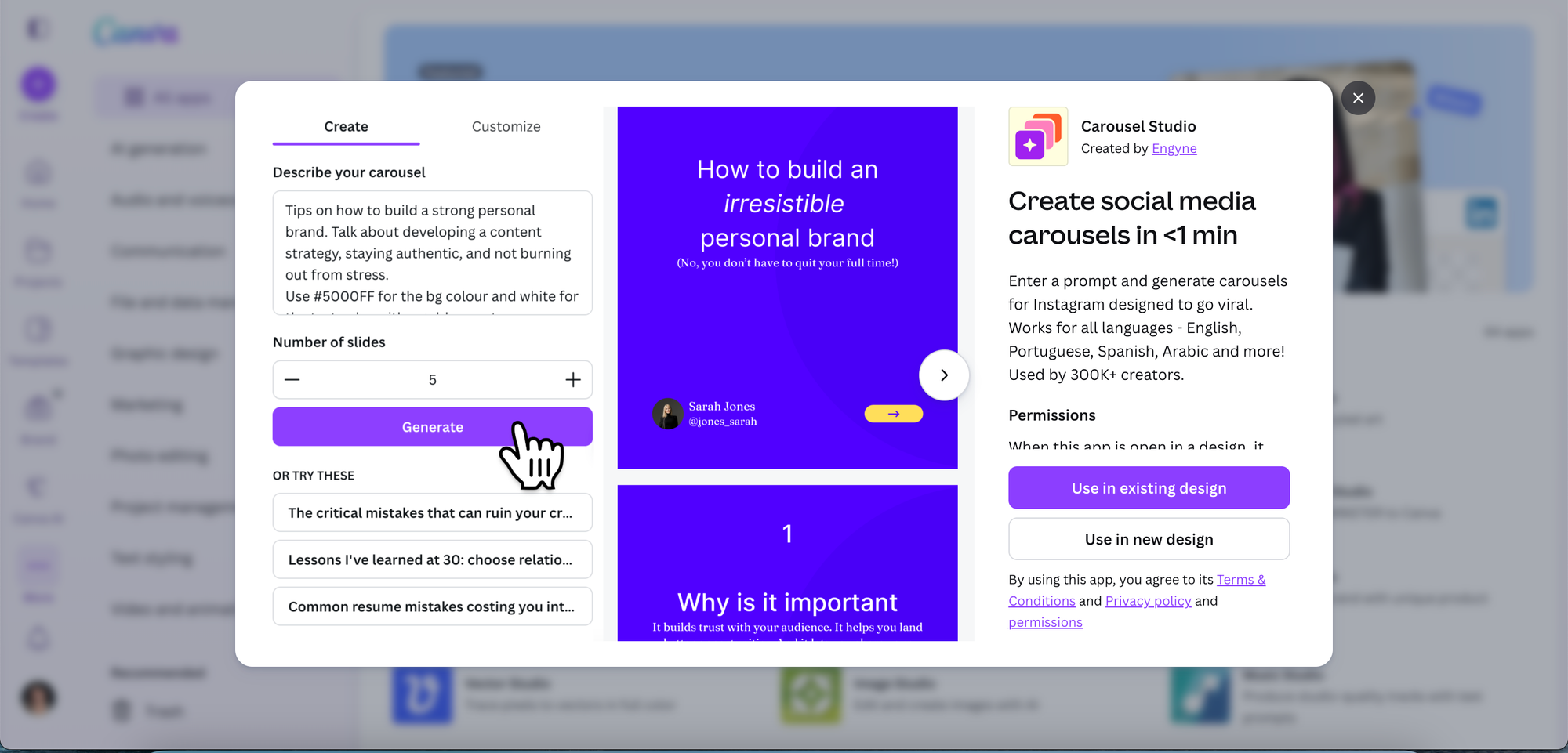
If you're designing in the infamous Canva (or have been meaning to start), Carousel Studio is genuinely the fastest way to go from idea to finished carousel. It's a third-party app available through the Canva App Marketplace, which means it lives right inside your existing Canva workflow. No new accounts to set up, no switching between tabs, no re-uploading assets every time.
Here's how it works: type in your topic, choose a tone, pick how many slides you want, and hit generate. That's pretty much it. Carousel Studio produces a polished, multi-slide carousel with cohesive layouts, on-brand copy, and scroll-worthy design in one go.
You can customise fonts, colours, and background patterns, and the app saves your brand preferences so future carousels are even faster to produce. It also supports video carousels (useful if you want to squeeze extra engagement out of animated content), works in 95+ languages, and has premium pre-built themes ready to go when you want something beautiful without any fiddling.
If carousel content has been sitting on your to-do list for months but the design process keeps putting you off, this is the tool that removes every excuse.
Pricing: $16/month, or $10/month on the annual plan
What we like about it: The speed is genuinely hard to beat. From a blank prompt to a fully designed, on-brand carousel in under a minute is a real time-saver for business owners posting consistently. The fact that it lives inside Canva means there's no new tool to learn, and the brand preference saving feature means every carousel you make is faster than the last.
What we don't like about it: It's the only paid app on this list, so there's a cost to weigh up. It also requires Canva to use it, so it won't suit anyone working outside that ecosystem.
Find it: Search "Carousel Studio" in the Canva Apps tab, or install it here
3. ContentDrips
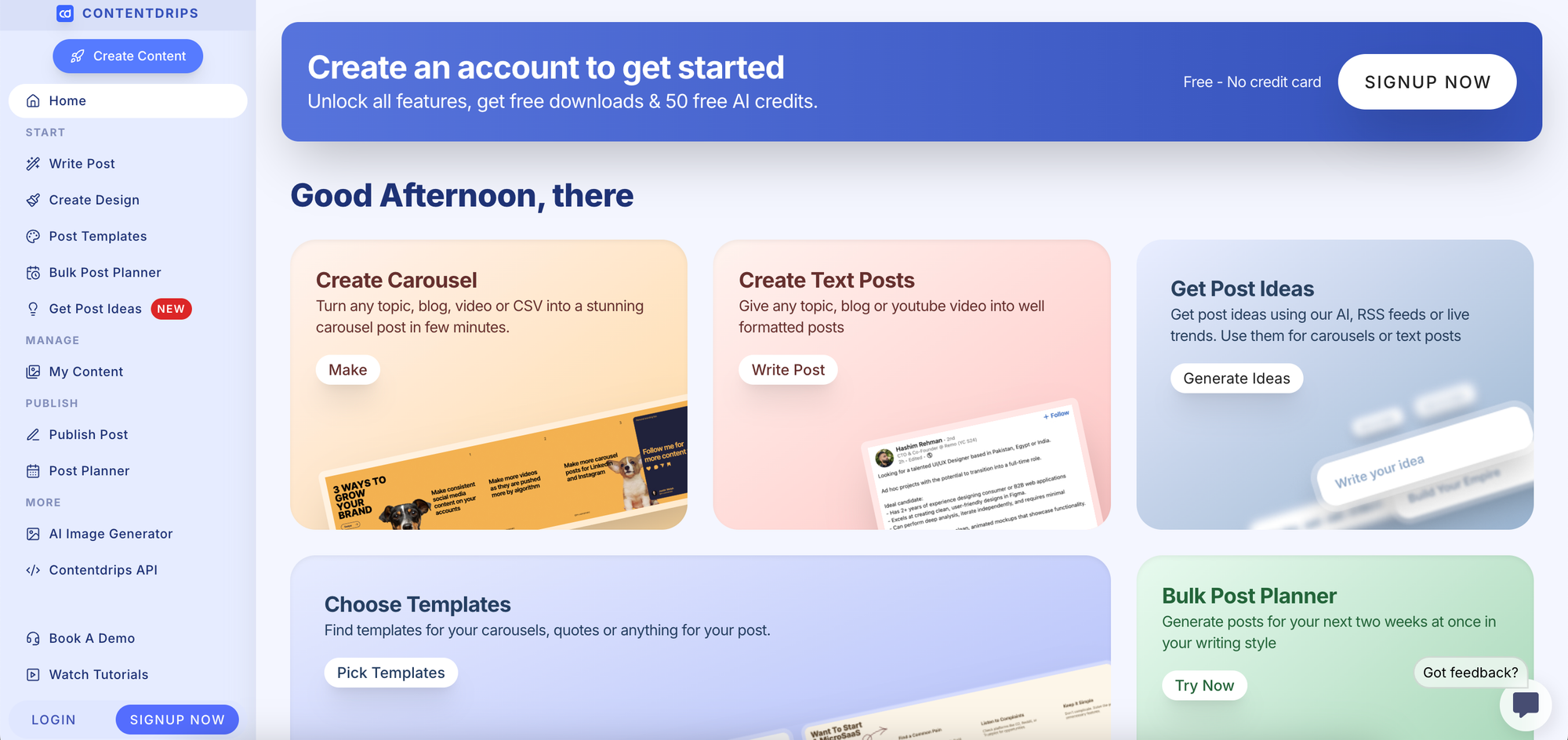
ContentDrips describes itself as an AI-powered content wizard, and it earns the label. Give it a topic (a product breakdown, a thought leadership angle, a how-to) and it generates a complete carousel with hooks, slide content, and a call to action already built in. It can also take longer content like blog posts or newsletters and repurpose them into swipeable slides, which is a genuinely useful feature if you've already got written content sitting around.
The free version covers the core features well, and the Pro plan adds custom fonts and Zapier integration if you want to automate parts of your workflow. The interface takes a little getting used to at first, but most users find their footing quickly.
Pricing:
- Free Plan ($0/mo): Includes basic templates, 50 AI credits, and 1 team member.
- Starter Plan ($15/mo): 1,500 AI credits, up to two team members, and enhanced features.
- Teams/Pro Plan (~$26–$29/mo): 5,000 AI credits, unlimited brand profiles, and unlimited team members.
- API ($359/yr): Unlimited API calls for carousel/graphics creation.
What we like about it: The repurposing angle is where it really shines. Being able to feed it an existing blog post or newsletter and get back a structured, slide-ready carousel removes a lot of the friction around content repurposing. For creators with a backlog of written content they haven't fully activated, this is a meaningful shortcut.
What we don't like about it: The learning curve on the interface is real, even if it's short. It's also a standalone platform rather than something that lives inside your existing design tool, so there's an extra step involved in getting your finished carousel into Canva or your scheduler.
Find it: contentdrips.com
4. aiCarousels
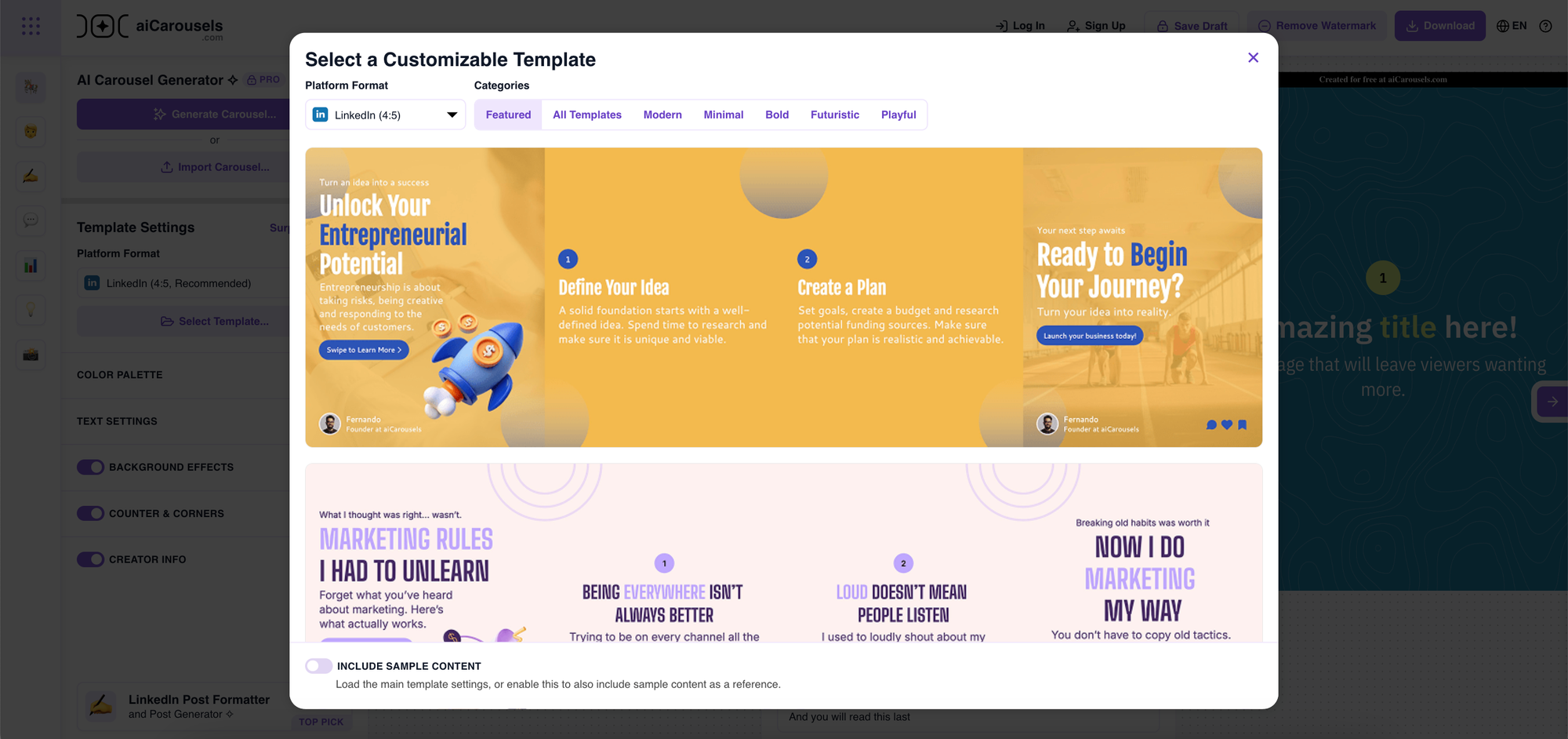
aiCarousels keeps things refreshingly simple. Input your idea or upload your images or videos (up to 20 of them), and the tool puts together a clean, Instagram-ready carousel. From there, you can drag to rearrange slides, preview how your feed will look, and export when you're happy. You can also add captions and hashtags directly in the platform, which is a nice touch.
The interface is genuinely one of the easiest on this list. There's no learning curve to speak of, no complicated setup. You could open it for the first time and be posting within minutes. The fact that it's completely free makes it a solid starting point if you're just getting comfortable with carousel content.
Pricing: Offers a free functional plan alongside a paid Pro subscription ($14.95/mo) to unlock premium features.
What we like about it: Zero friction is the main appeal. Opening it for the first time and being able to post within minutes is a genuine rarity in this category. For anyone who's been putting off carousels because the tools feel complicated, this one removes that excuse entirely.
What we don't like about it: The simplicity that makes it so easy to pick up also limits what you can do with it. Branding options and design flexibility are fairly basic, so if you want carousels that look distinctly like your brand rather than a generic template, you'll outgrow it fairly quickly.
Find it: aicarousels.com
5. PostNitro
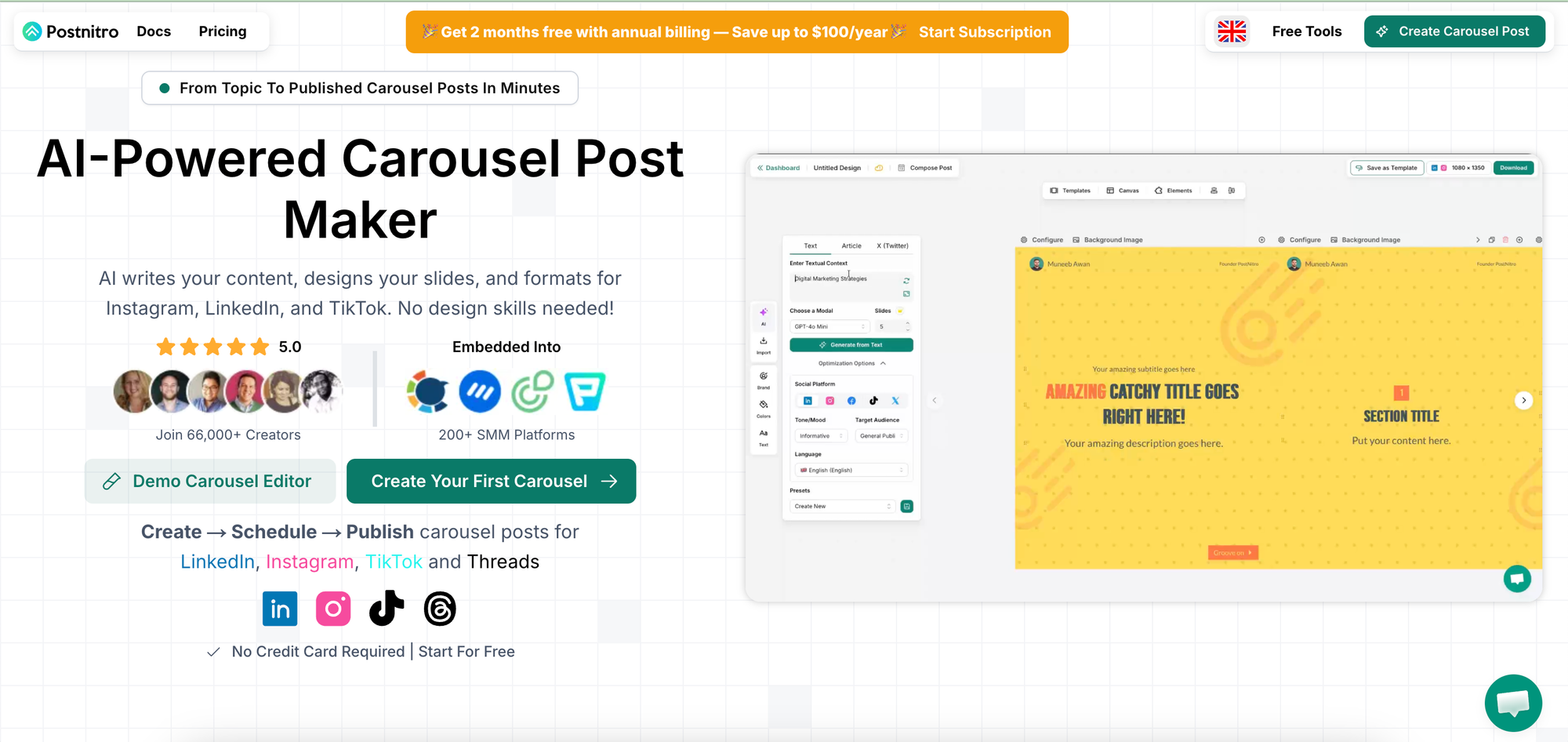
PostNitro is built with volume in mind. Give it a topic, upload your brand assets (logo, fonts, colours), and the AI builds custom carousels styled to match. The editor lets you adjust layouts, images, and copy without needing any design experience, and the output is optimised for full-screen display so it looks good in the feed.
Where PostNitro really earns its spot is in batch creation. You can generate multiple carousels at once, which is a real time-saver if you're planning content a week or a month ahead. It's primarily web-based but exports cleanly for mobile posting.
Pricing:
- Free Plan ($0/mo): Includes limited downloads (approx. 5/mo) and basic features, allowing for testing.
- Starter Plan (~$10–$15/mo): Designed for light use, featuring higher download limits (approx. 30/mo).
- Creator Plan (~$20/mo): Provides unlimited carousel downloads, suitable for consistent content creation.
- Team Plan (~$50/mo): Geared towards teams with multi-user access.
What we like about it: Batch creation is the standout feature. Being able to generate multiple carousels in one session changes the dynamic for anyone doing content planning in advance. The brand asset upload also means the output is personalised from the start rather than generic.
What we don't like about it: It's a standalone platform, so there's a step between PostNitro and wherever you do your final design work. The output quality is good, but for creators who want everything in one place, the context-switching can feel unnecessary.
Find it: postnitro.ai
6. PanoSlice
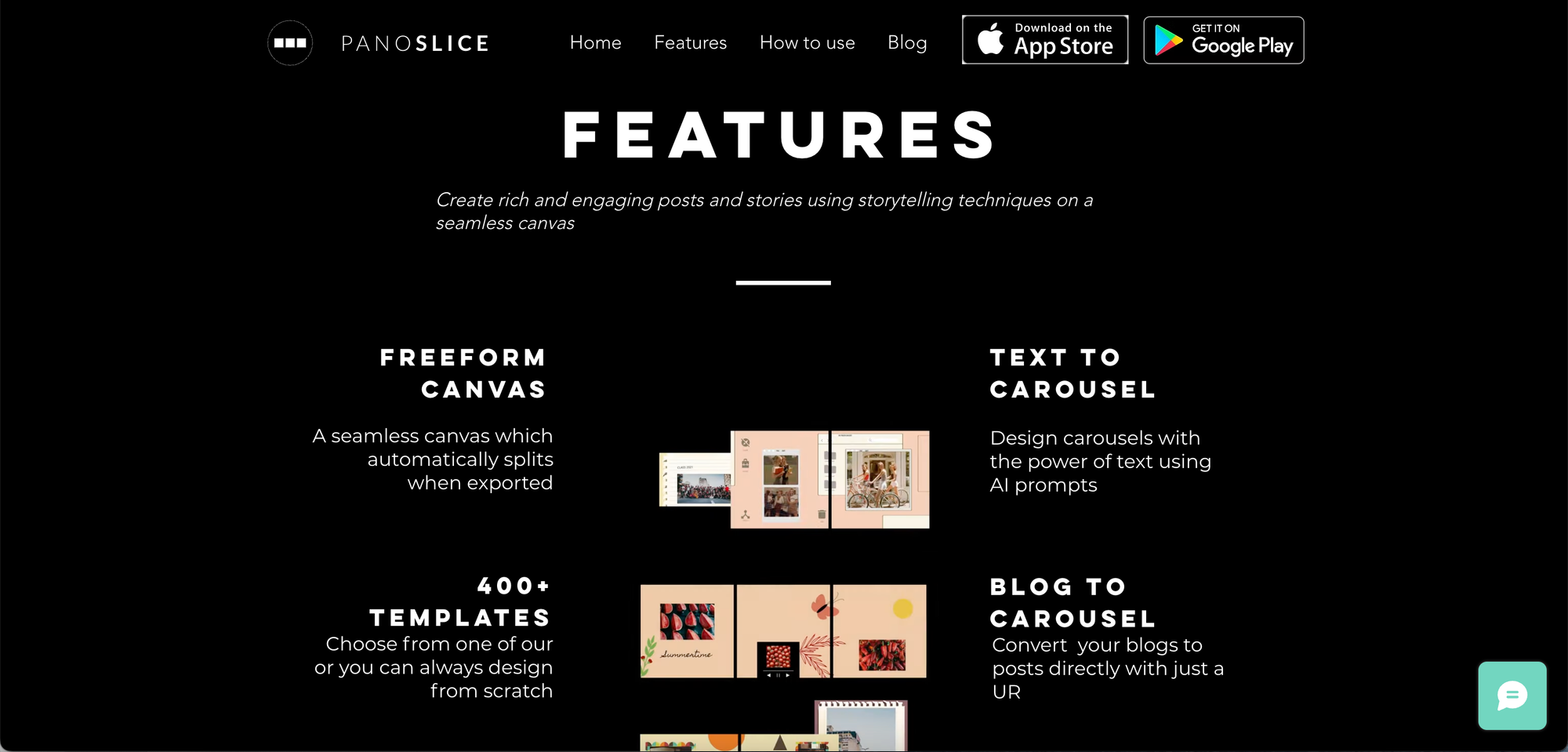
PanoSlice takes a completely different approach. Instead of generating carousels from a prompt, it's built around panoramic images. You upload a wide photo and the app slices it into up to ten carousel slides that pan seamlessly as viewers swipe through. The result is an immersive, reveal-style carousel that works really well for travel content, behind-the-scenes moments, or visual storytelling.
It's a free Android app, though some features require a paid upgrade. If you're a mobile-first creator and panoramic storytelling fits your content style, it's worth a download.
Pricing: Panoslice offers a free version with 400+ templates, while premium "Elite" and "Editor" subscriptions on the Apple App Store range from $6.99 to $9.99 weekly, $11.99 to $17.99 monthly, and $34.99 to $59.99 annually
What we like about it: The immersive swiping experience it creates is genuinely different from a standard carousel. For content where the visual reveal is the hook (a before-and-after, a full landscape, a behind-the-scenes space), it's a format that earns the swipe in a way that slide-by-slide content sometimes doesn't.
What we don't like about it: It's Android only, which immediately rules out a significant portion of creators. It's also a single-use tool: if panoramic storytelling isn't a regular part of your content mix, you won't get enough use out of it to make it worth adding to your workflow.
Find it: Available on the Google Play Store, search "PanoSlice"
7. SCRL
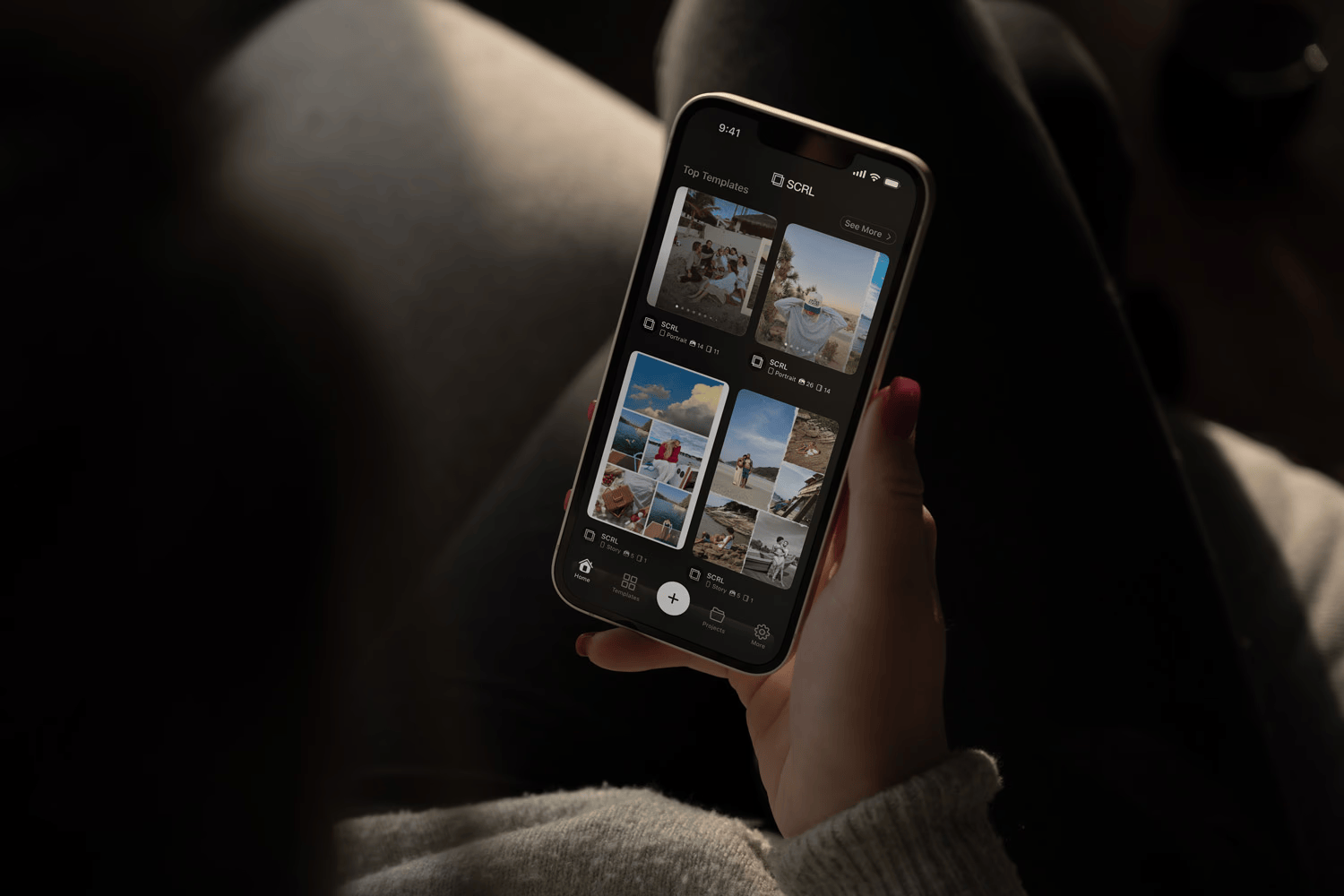
SCRL is a clean, lightweight panorama splitter that also works as a collage maker for Instagram. You can start from a ready-made template or build your own layout from scratch using photos, text, and graphic elements. The drag-and-drop tools are intuitive, and the built-in layout grid makes it easy to keep everything visually aligned.
It's a good fit for photographers, travel creators, and small businesses who want their feed to tell a visual story without needing design skills. Similar to PanoSlice, it's built for a specific use case, but it does that thing well.
Pricing: Free to use basic capabilities with premium features unlocked for $45.98/year (7 day trial available).
What we like about it: The collage maker functionality sets it apart from PanoSlice and gives it a slightly broader use case. The layout grid is a small but thoughtful feature that makes a real difference when you're trying to keep a multi-image carousel visually cohesive.
What we don't like about it: Like PanoSlice, it's a specialist tool rather than a general carousel creator. It works beautifully for the visual storytelling use case it's built for, but it won't replace a broader carousel creation tool for anyone posting educational or text-heavy content.
Find it: Available on the App Store, search "SCRL"
So Which One Should You Use?
It really comes down to where you already spend your design time.
If you're already in Canva (or open to being), Carousel Studio is the easiest call. It's fast, the output looks professional, and because it lives inside Canva, you're not adding another platform to your life.
If you have a backlog of blog posts or newsletters you'd love to repurpose, ContentDrips or PostNitro are worth a look. If you just need something quick, free, and effortless to use, aiCarousels is your answer.
The goal isn't to have seven apps running at once. It's to find one or two that actually fit your workflow, so carousel creation stops feeling like a project and starts feeling like a normal part of your week.
Frequently Asked Questions
What is the best app for creating Instagram carousels?
It depends on your workflow, but Carousel Studio is the strongest option for anyone already working in Canva. It generates a fully designed, ready-to-post carousel from a single prompt in under a minute, all without leaving Canva. For repurposing existing content, ContentDrips and PostNitro are solid alternatives worth exploring.
Are these carousel apps free to use?
Most of them, yes. Carousel Studio, aiCarousels, and SCRL are all free to get started with (Carousel Studio's free tier lets you explore the app, with the full feature set at $16/month or $10/month on an annual plan). ContentDrips and PostNitro have free plans with paid upgrades available. PanoSlice is free to download with some features sitting behind a paywall.
Do I need design skills to use these tools?
Not at all. Every app on this list is designed to work without a graphic design background. Tools like Carousel Studio and aiCarousels handle the visual side for you. You bring the topic or the content, and the tool takes care of the layout and formatting.
What makes carousel posts perform well on Instagram?
Carousels tend to drive more saves, shares, and time on post than single images because they get people swiping. The algorithm pays attention to that engagement, and posts that hold attention tend to get pushed to more people. Carousels that teach something, share a clear framework, or tell a story consistently perform the best.
Can I create video carousels with these tools?
Yes, Carousel Studio supports animated video carousels directly inside Canva. For the other tools on this list, export formats vary. Most are focused on static image carousels, though Canva's own editor gives you animation options once you're inside your design file.
How many slides should an Instagram carousel have?
Most high-performing carousels sit between five and ten slides. The first slide needs to earn the swipe, and the last one should have a clear call to action. Try to keep each slide focused on a single idea. Carousels that cram too much onto each frame tend to lose people quickly.